Message first
Don’t wait for the customer to find a bot. Start the conversation from your Telegram number, right inside the CRM.
Customer’s number →➤ Message
 Integrato
INTEGRATO × SIMLA CRM
From your own number, from the customer or order card. The customer’s replies land in Simla chats, next to the order.
Your number. A familiar messenger. All inside the CRM.

DON’T WAIT FOR AN INCOMING MESSAGE
Confirm the order, offer a replacement or send delivery details. The first step is yours.
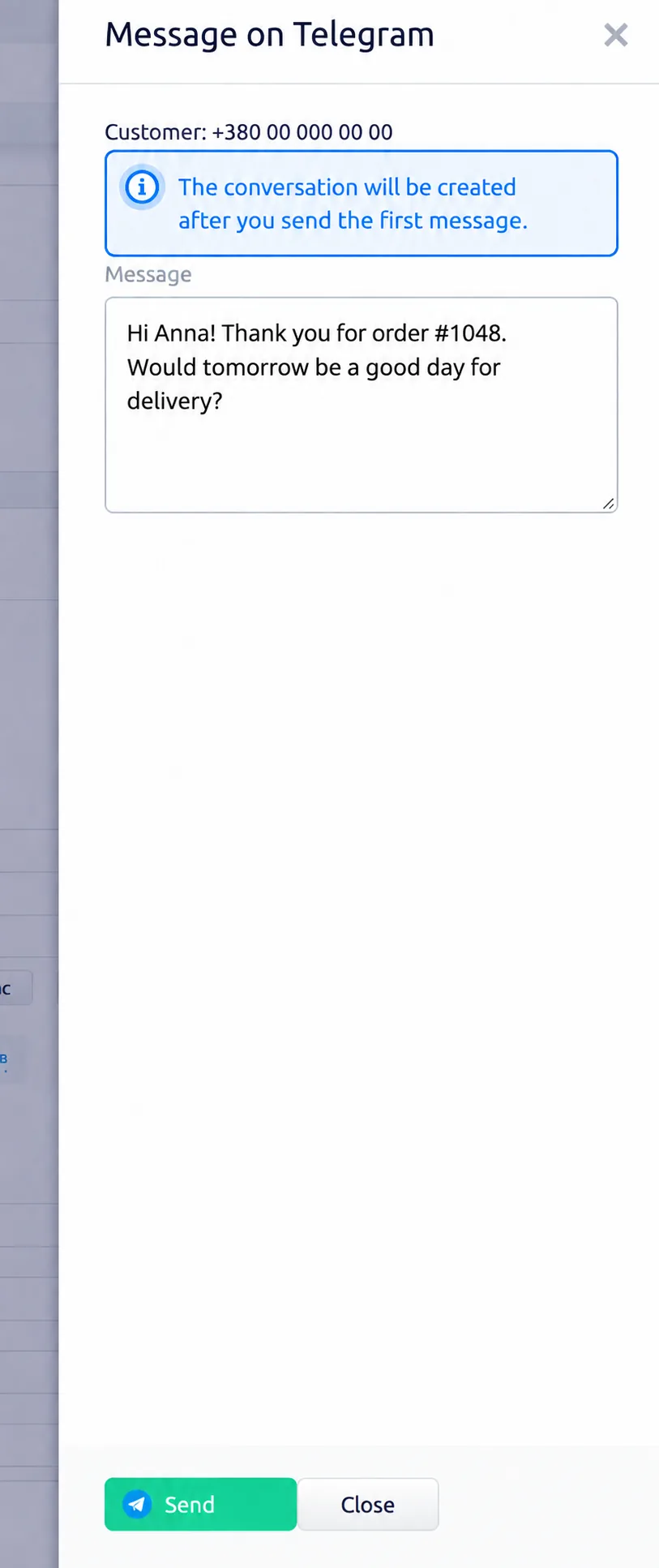
The side panel opens. Write your message and click “Send”.
«Hi Anna! Thank you for order #1048. Would tomorrow be a good day for delivery?»
CONVERSATION IN THE SCREENSHOT
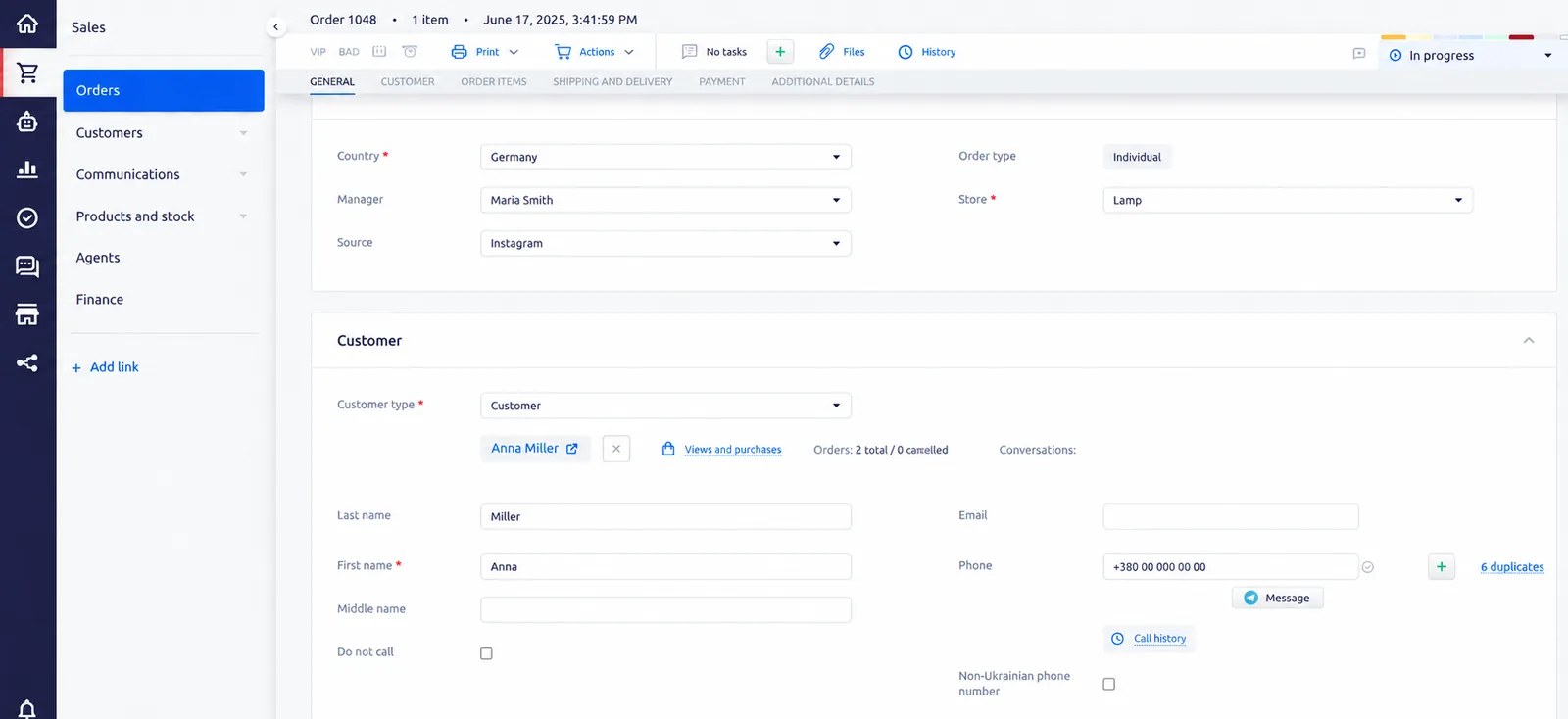
Open the order details. The button is in the Customer section, next to their contact details.
CLOSER TO THE CUSTOMER
Don’t wait for the customer to find a bot. Start the conversation from your Telegram number, right inside the CRM.
Write from the customer or order card. The purchase details stay in front of the agent.
The customer gets the message in the Telegram they already use. The agent replies from Simla chats — photos and files go both ways.
A SIMPLE LINK
E-chat connects your number, and Integrato links it to Simla chats.
Go to setup ↗Add your business Telegram number in your E-chat account and copy the API key.
From the Simla catalog or in your Integrato account: enter your Simla account and the number — about ten minutes.
Open the customer or order card and start the conversation.
HAVE A QUESTION?
A bot can’t write first — the customer has to find and start it. Here it’s your own Telegram number connected through E-chat, and the agent opens the conversation from Simla.
In Simla chats, just like any other channel. You can start from the customer or order card.
The recipient has to use Telegram. If the number has no messenger, the Simla chat shows a “not delivered” mark.
Yes, the delivery status shows up in the Simla chat. Photos and files can be sent both ways.
A Simla account, a Telegram number in E-chat and the Integrato module. Pricing is listed in the Simla catalog.
A GOOD SALE STARTS WITH A CONVERSATION